
The Planner Plugin connects Planner to supported Copilot experiences. Your admin must make the plugin available to your organization before you can use it. You currently find it in Microsoft Copilot under Plugins > Cowork. This article focuses on using the plugin in Copilot Cowork. With that context, Cowork can tell you what's on your plate, turn your files into plans, do the work on your tasks across Microsoft 365, and keep Planner up to date, all in one conversation.
Important
Microsoft Copilot uses AI and might make mistakes. Review AI-generated content and proposed changes before you approve them. Cowork asks for your approval before it changes anything in Planner.
The plugin at a glance
| Item | Details |
|---|---|
| Plugin name | Planner Plugin |
| Created by | Microsoft Corporation |
| Description | Manage Microsoft Planner plans and tasks through your AI assistant. |
| Where to find it | Microsoft Copilot > Plugins > Cowork tab |
| Who can use it | People with a Microsoft 365 Copilot license and access to Copilot Cowork, when their organization allows the plugin |
What you can do
- Prioritize your work: See the tasks assigned to you across plans and get recommendations on what to do next.
- Check on a plan: Get a visual report that shows progress, deadlines, blockers, and next steps.
- Turn goals into tasks: Break a goal or idea into tasks and add them to a plan.
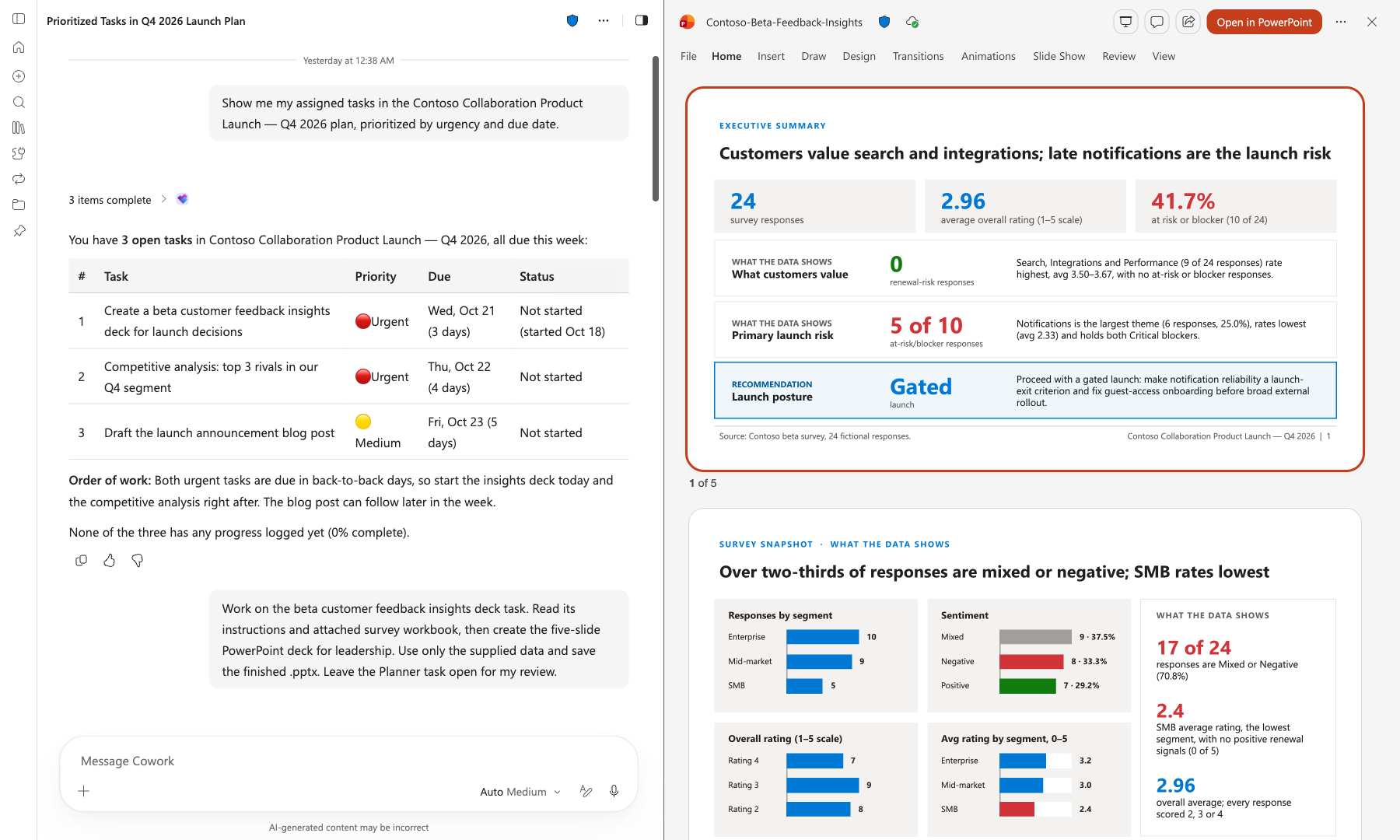
- Get help with your tasks: Cowork uses a task's notes, checklist, and attachments to research, draft, or create the deliverable, such as a document or presentation.
- Keep Planner up to date: Cowork can update progress, add results, and complete tasks after you approve.
- Turn files into plans: Convert an Excel sheet, a Word document, or meeting notes into a Planner plan with buckets and tasks.
- Work across Microsoft 365: Use your tasks as context to draft emails, schedule meetings, post updates in Teams, and create documents, presentations, and spreadsheets.
- Automate Planner work: Have Cowork send you a weekly list of tasks that are due, post a plan status report in Teams, or draft a task when an important email arrives.
You're in control
- Cowork shows you every change before it updates Planner. Nothing changes without your approval.
- Cowork can only access the plans and tasks that you already have permission to see.
Share feedback
Your feedback helps us improve. Use the thumbs up or thumbs down option in Copilot to tell us about your experience.
Copilot Cowork
- Turn on the Planner Plugin in Cowork
- What you can do with Planner in Cowork
- Planner Plugin in Cowork: Frequently asked questions