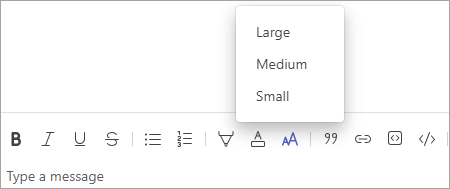
Increase or decrease your message font size to enhance readability.
Expand the compose box in a chat or channel by selecting Show Formatting options
 .
.You’ll see a tool bar at the top of your compose box. Select Font size. You have three options for font size: small, medium, and large. Pick the size you want and start writing.